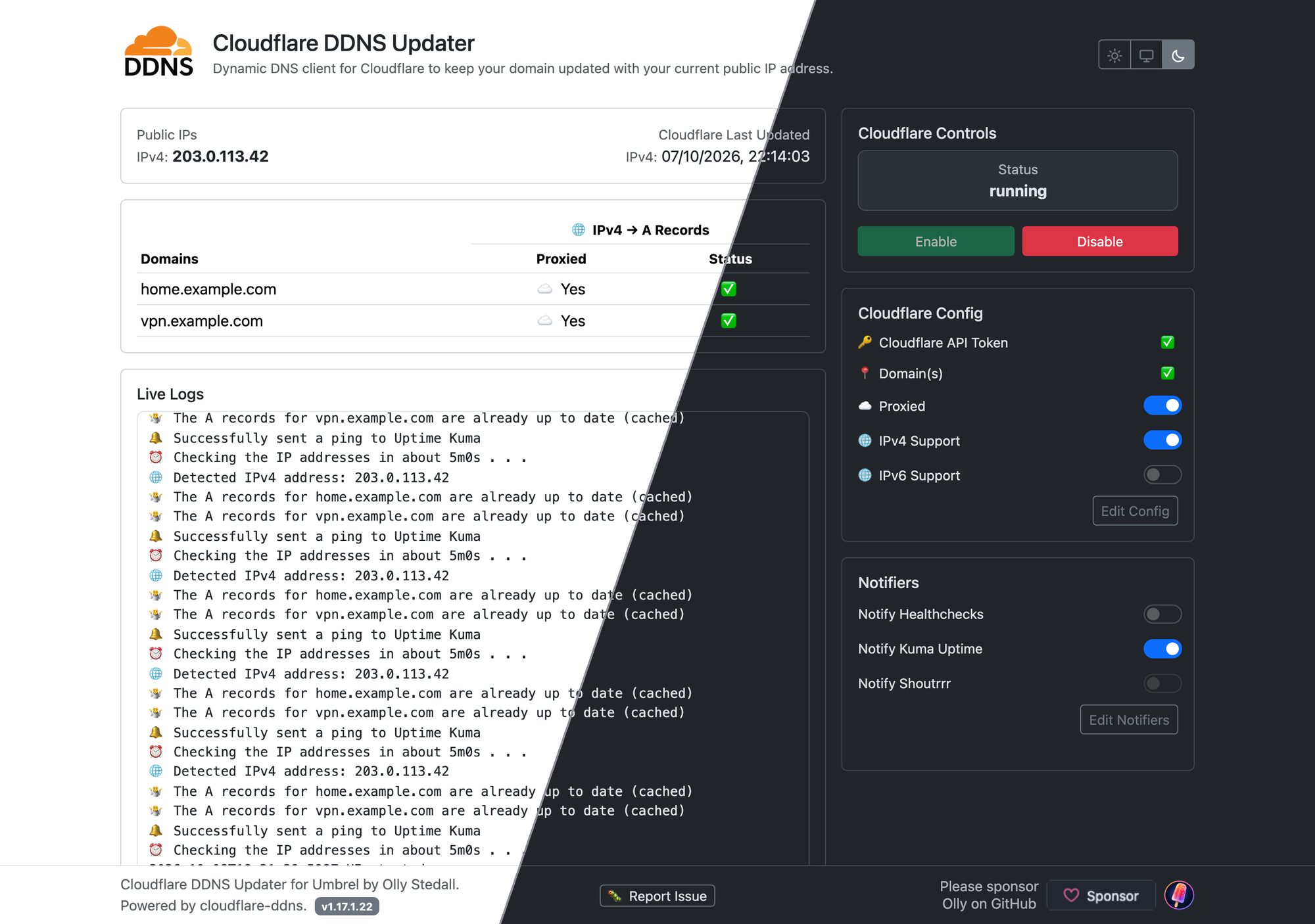
If you host apps on your Umbrel and want to reach them from anywhere using your own domain, there is one problem you will run into sooner or later: the IP address of your home internet connection changes. When it does, your domain keeps pointing at the old address, and your apps can no longer be reached from outside your home.
Cloudflare DDNS for Umbrel fixes that. It keeps an eye on your public IP address and updates your Cloudflare DNS records whenever it changes, so a name like home.yourdomain.com always points at your home. It takes a couple of minutes to set up and is free to install from my saltedlolly App Store for Umbrel.
Do you need it?
There are a few ways to reach the apps on your Umbrel when you are away from home, and they suit different needs:
- Tailscale gives you private access from your own devices. It is excellent for personal use, but anyone else you share an app with needs Tailscale too (unless you use its Funnel feature).
- Cloudflare Tunnel publishes apps on the internet through a connection your Umbrel makes out to Cloudflare. There is no port forwarding, and it does not need this app.
- Your own domain with a reverse proxy such as NPM or NPMplus running on your Umbrel, with your router forwarding web traffic to it. This gives you full control: normal web addresses with your own certificates, and access from any browser or mobile app without extra software. For this to work, your domain must always point at your home’s current IP address.
That last setup is where Cloudflare DDNS comes in. It is also useful for anything else you reach by name from outside your home, such as a WireGuard VPN server or a game server.
What it does
Every five minutes the app checks your public IP address. If it has changed, it updates the DNS records for the names you have chosen in Cloudflare; if a record does not exist yet, it creates it. With Cloudflare’s proxy switched on (the “Proxied” setting), visitors connect to Cloudflare rather than straight to your home, so your home IP address stays hidden.
The updating itself is done by favonia/cloudflare-ddns, a well-established open-source updater. The Umbrel app adds a simple web page for setting it up and checking on it, so you never need the command line.
Main features
See at a glance that everything is working
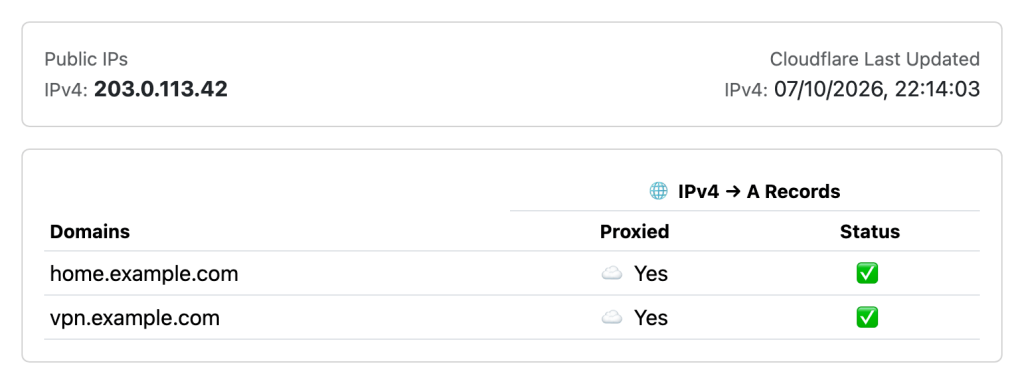
The page shows your current public IP address, when Cloudflare was last actually updated, and a green tick next to each domain once its record matches your IP. If a domain cannot be updated, the page explains why underneath it, for example when the domain is not in your Cloudflare account.
Simple settings, with a safety net
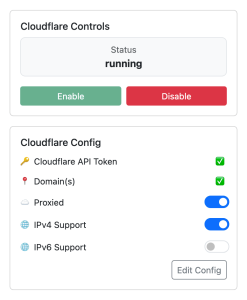
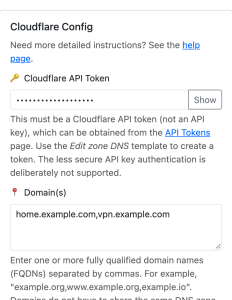
Paste your Cloudflare API token, enter the names to keep updated, and save. Switches let you turn Cloudflare’s proxy, IPv4 and IPv6 on or off, and you can pause updates at any time. The token stays hidden on screen, and the app asks before changes that could break something, such as using your main domain when it may already point at a website hosted elsewhere, or turning the proxy off and revealing your home IP address.
Get notified
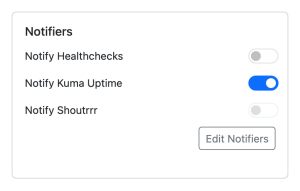
Connect it to Healthchecks or Uptime Kuma to be told if updates ever stop, or to Shoutrrr to get messages on Discord, ntfy, Slack and many other services when your IP address changes. If a notification fails to send, a warning appears next to it.
Light or dark, on any screen
Choose light, dark, or follow your device’s setting, using the picker at the top right. The page works on computers, tablets and phones, so you can check on it from any device on your home network.
Kept up to date for you

The app follows new releases of favonia/cloudflare-ddns automatically. Each new version is given two days for any early problems to surface, then it is rebuilt, tested and published as an update in my community Umbrel App Store. The page tells you when an update is waiting, and your settings are kept in the app’s data folder, so they are included in your Umbrel backups.
How to get it
What you need: a device running UmbrelOS, and a domain that uses Cloudflare for its DNS (Cloudflare’s free plan is enough). You will also need a Cloudflare API token created with the Edit zone DNS template; Cloudflare explains how in Create API token.
Add my app store to your Umbrel:
- Open the App Store on your Umbrel.
- Click the ••• button at the top right, then Community App Stores.
- Paste
https://github.com/saltedlolly/umbrel-app-storeand click Add. - Click Open next to saltedlolly App Store, find Cloudflare DDNS and install it.
Set it up: open Cloudflare DDNS from your Umbrel home screen, click Edit Config, paste your API token, enter the name you want to keep updated (for example home.yourdomain.com) and click Save. Within a minute or two you should see a green tick next to it.
Tip: if your main domain already points at a website or email service hosted elsewhere, use a subdomain such as home.yourdomain.com, so that the app does not replace it.
For more detailed instructions, including when you might want IPv6, see the help page. If something does not work, use the Report Issue button at the bottom of the app.
More apps
Cloudflare DDNS is one of several apps in the saltedlolly App Store for Umbrel, including NPMplus, CrowdSec and Audiobookshelf NAS Edition. If you find them useful, you can sponsor me on GitHub.
This is a community project, not an official Umbrel or Cloudflare service. Please back up your data and test any app before relying on it.