
Nostr Backup Relay: back up all your Nostr accounts on your Umbrel
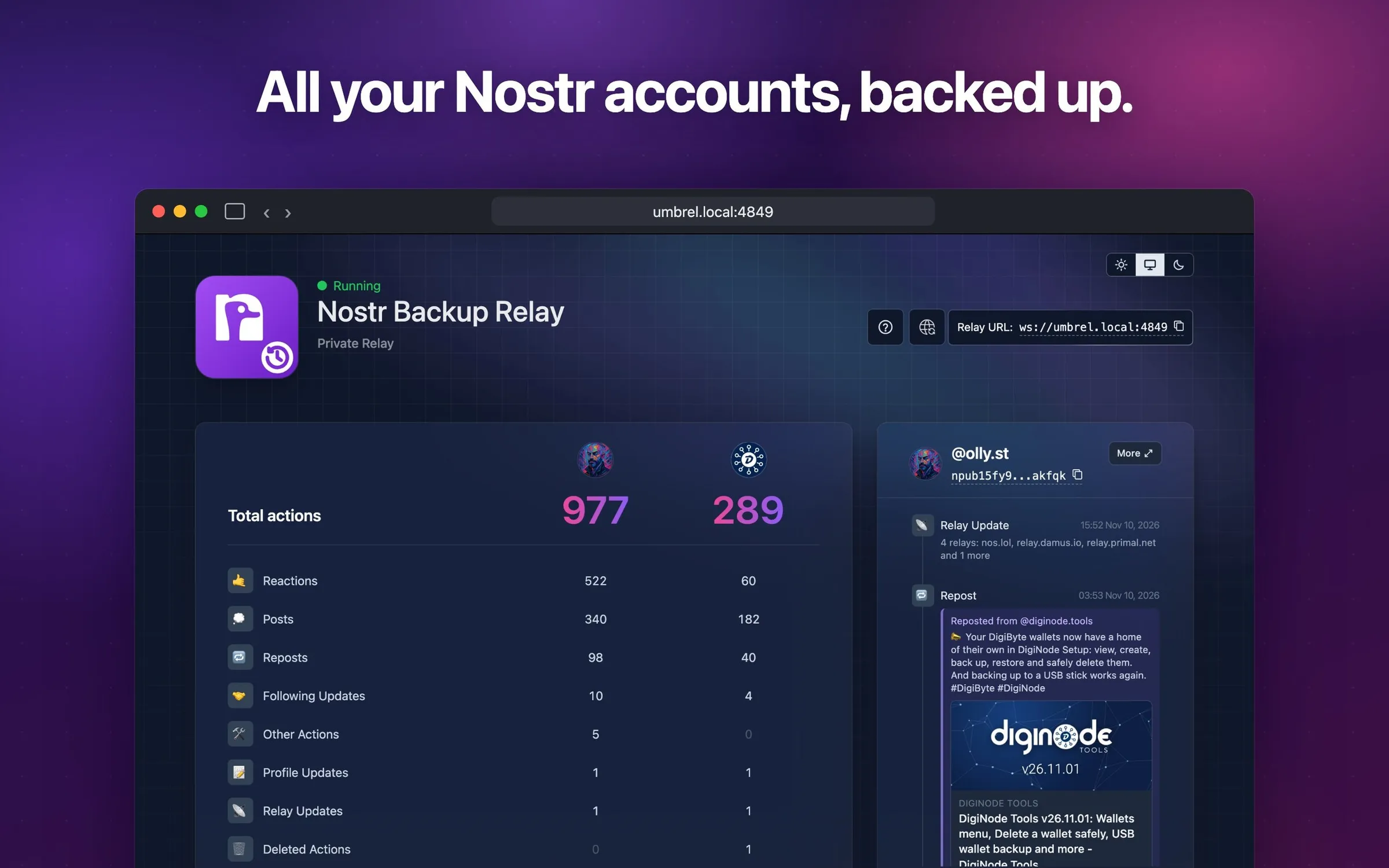
My saltedlolly App Store for Umbrel has a new app: Nostr Backup Relay. It runs a private Nostr relay on your Umbrel home server and keeps a copy of everything you post, from as many Nostr accounts as you like.
Why I made it
On Nostr, your posts live on relays: servers run by other people, any of which can go offline or delete things. Running your own relay at home means you always have a copy.
Umbrel already has an official Nostr Relay app that does this, and it’s good. But its Sync from public relays feature only takes one account, and I have two: my personal account, @olly.st, and DigiNode Tools. I asked Umbrel for more than one, and sent them the change too. Umbrel hasn’t published the code for the current version of its app, so it can’t be merged yet. Rather than wait, I built it into my own app.
Nostr Backup Relay starts from Umbrel’s own app and runs the same relay underneath (nostr-rs-relay), so everything is stored in exactly the same way. Then I added a lot more.
What it does
Backs up all your accounts. Open Sync from public relays (the globe icon), add each account by its NIP-05 address (like olly.st) or its npub, and click + Add another account for the next one. The app finds each account’s relays and copies everything it has posted, then keeps copying new activity as it happens.
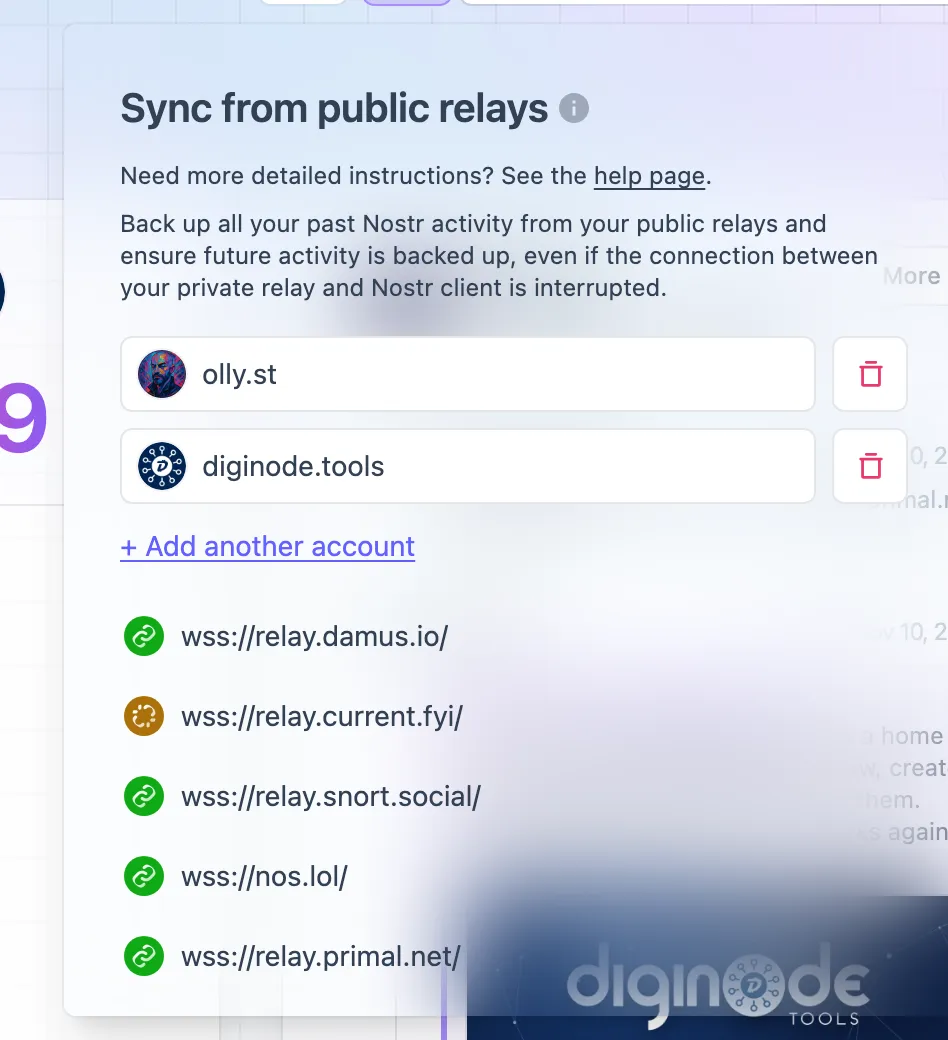
Your Nostr apps (Damus, Amethyst, Primal and others) can also connect straight to your relay, so new posts are saved the moment you make them.
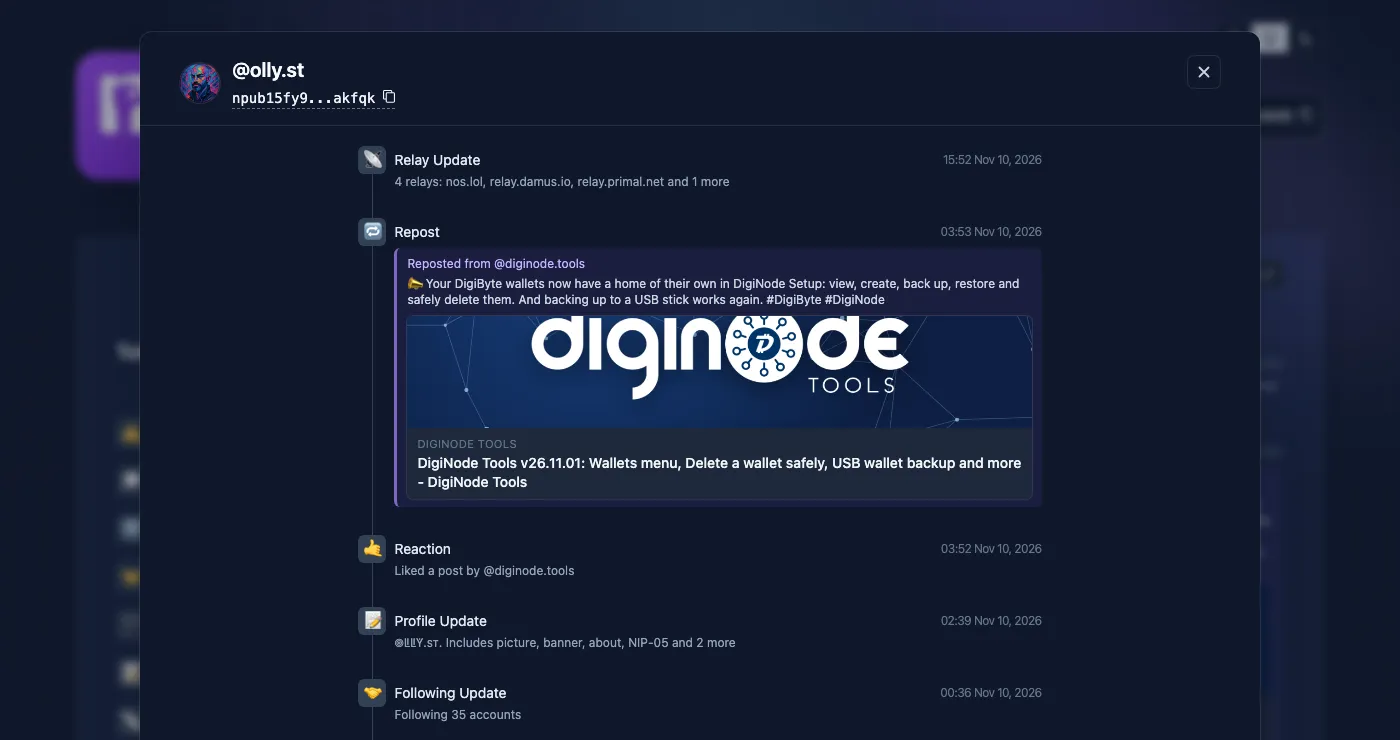
Shows you what each account has been up to. The dashboard has a column of totals for each account (reactions, posts, reposts, follows, profile changes and more), and a panel for each account with its latest activity.
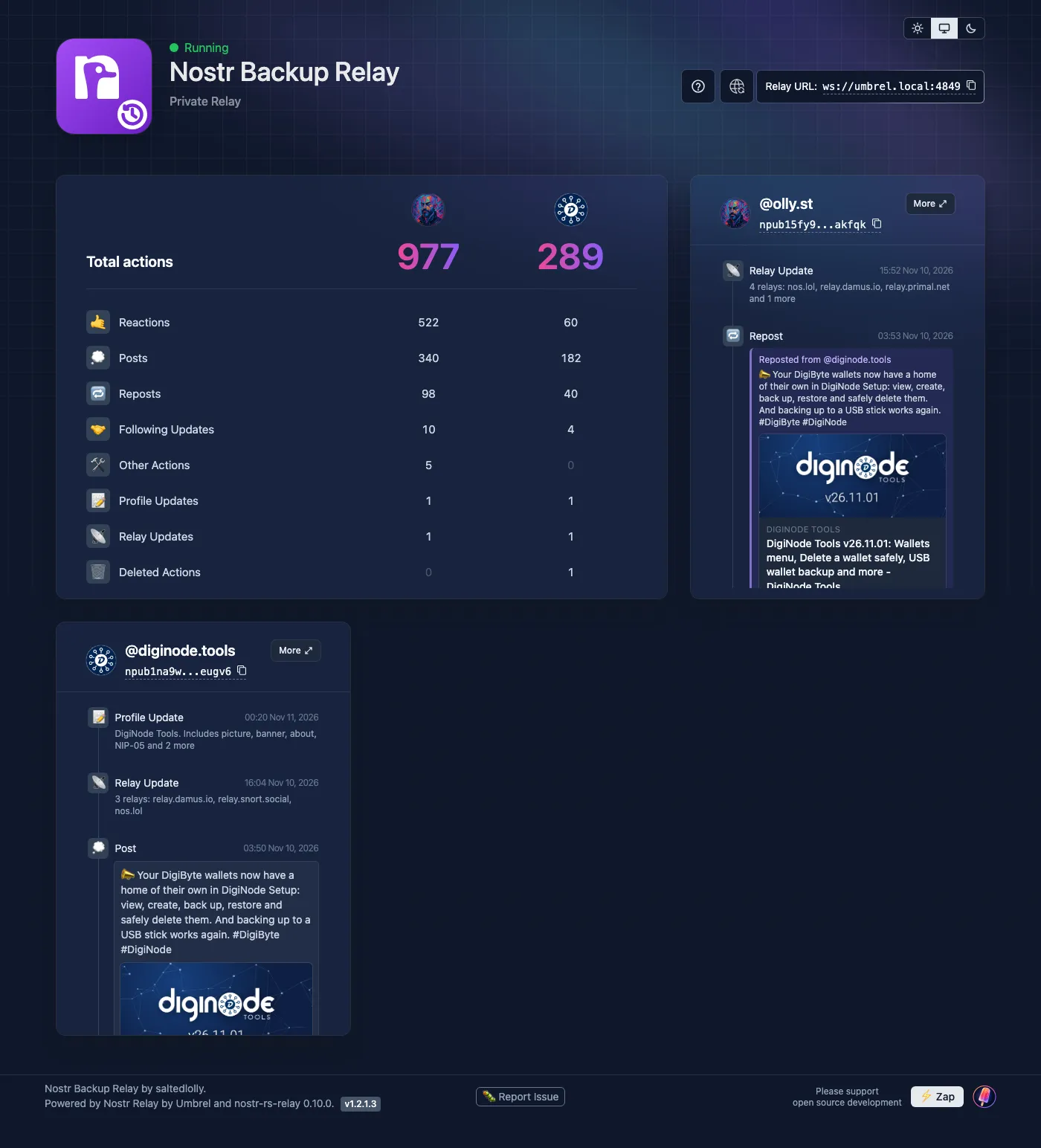
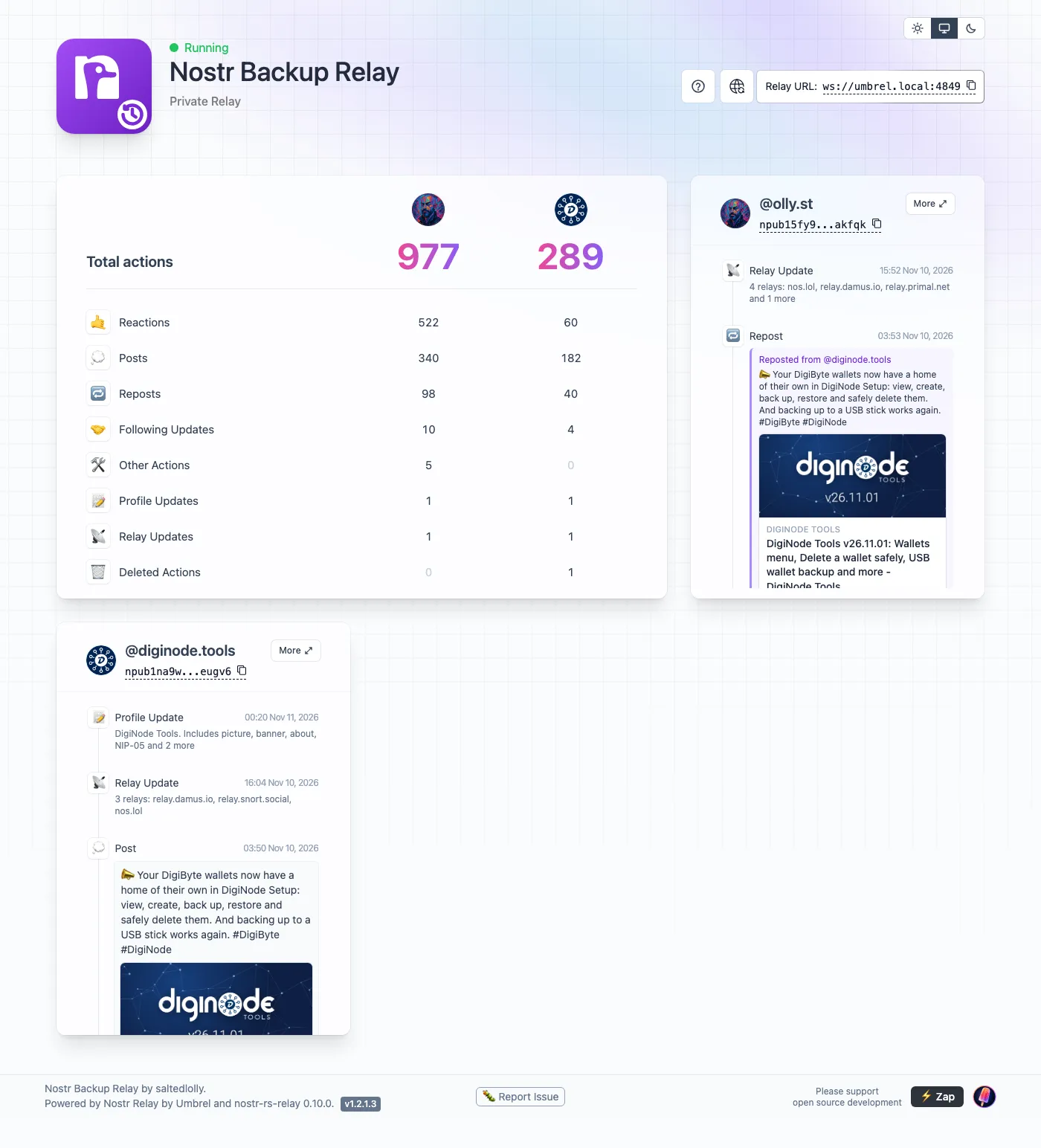
Each action says what it was about: a repost shows whose post it was, a like says whose post you liked, a follow-list change gives the number you follow, and a zap shows the amount. Links in posts can be clicked, and show their picture or share card. The More button opens the whole history for one account.
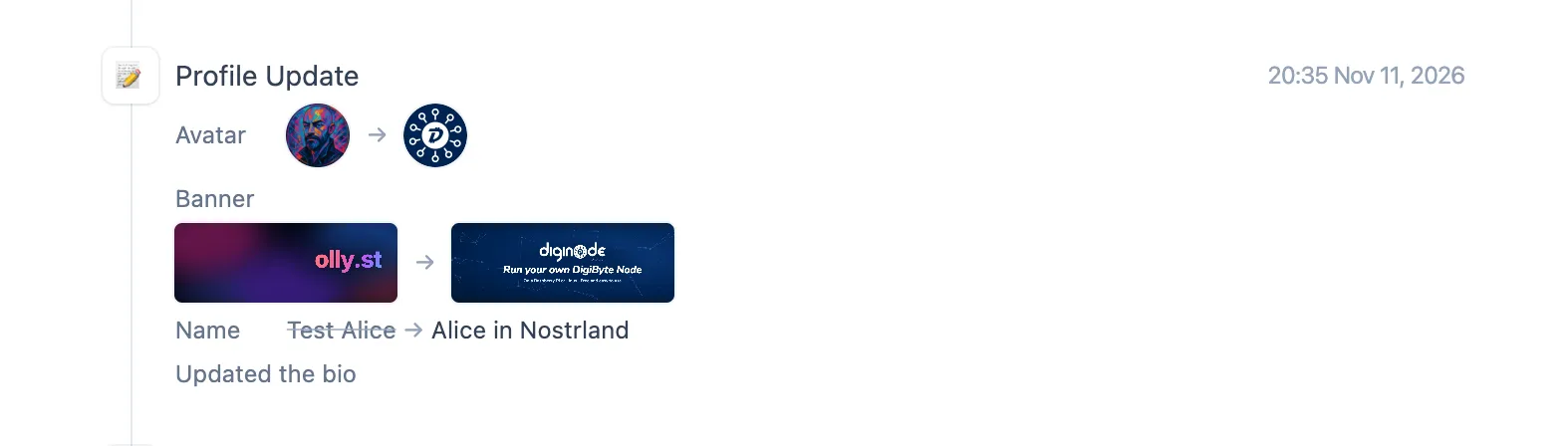
Shows profile changes before and after. Change your picture, banner or name and the dashboard shows the old and the new side by side. Relay list changes say which relays were added and removed. (A relay only keeps your newest profile, so the app keeps its own history from the moment you install it.)
It also comes in light and dark (or follows your system), works on phones and tablets, has a help screen behind the ? button, and lets you clear out anything saved by accounts you don’t back up.
Moving from Umbrel’s Nostr Relay app
If you already use Umbrel’s official app, Nostr Backup Relay copies its relay and its synced account the first time it starts, so you don’t lose anything. It makes a safe copy, checks it, and leaves the official app untouched. You can keep both installed while you check everything is there, then uninstall the official one.
How to install it
- Open the App Store on your Umbrel, click ••• at the top right, then Community App Stores.
- Paste
https://github.com/saltedlolly/umbrel-app-store, click Add, then Open next to “saltedlolly App Store”. - Install Nostr Backup Relay.
Open it from your Umbrel home screen (it’s at umbrel.local:4849) and add your accounts. To connect a Nostr app, use the relay address shown at the top of the dashboard: ws://umbrel.local:4849. Away from home, Umbrel suggests Tailscale with MagicDNS turned on, which gives you ws://umbrel:4849.
Worth knowing before you install
- It’s new. I run it on my own Umbrel, but if anything goes wrong, please tell me about it.
- It isn’t made or supported by Umbrel. Problems go to my app store, not to Umbrel.
- Umbrel’s Backups include it, just as they do the official app’s data. But uninstalling the app deletes its data, as with any Umbrel app.
- Your Umbrel visits the links in your posts to show their pictures and share cards, as any Nostr app does. It never fetches addresses on your own network.
Support my work
Nostr Backup Relay is free. I make software like this because I believe in open protocols like Nostr: they can help make the web, and so the world, a better place, and the web shouldn’t be owned and controlled by billionaires. Building and maintaining it takes real time, often my working hours. If you find it useful, there’s a ⚡ Zap button at the bottom of the app (my Lightning address is zaps@olly.st), or you can sponsor me on GitHub or buy me a coffee on Ko-fi. More ways to support my work →
Thanks
Nostr Backup Relay is built on Umbrel’s Nostr Relay app and shares its licence (PolyForm Noncommercial 1.0.0): free to use and share for anything noncommercial. The relay itself is nostr-rs-relay by scsibug, and the Nostr logo in the app’s icon is by mbarulli. For all the detail, see the app’s README.
Nostr Backup Relay is an independent project, not made or endorsed by Umbrel. Community app stores aren't official Umbrel services: please test any app before relying on it.
Enjoyed this? Support my work
GitHub Sponsors
Sponsor monthly with your GitHub account.
Sponsor on GitHubKo-fi
Donate once by card or PayPal.
Donate on Ko-fiComments
Other websites can respond by sending a Webmention.
Powered by Atmosphere Comments for Astro