
Atmosphere Comments for Astro: Bluesky comments on your own site
The comments on this site, where you sign in with your Bluesky account and respond right on the page, are now available for any Astro site: Atmosphere Comments for Astro, free and open source.
It’s exactly what this site uses, so the comment section at the bottom of this page is the demo: sign in with your Bluesky account and try it. Your readers get the same: they comment, reply, like, repost and quote with their own Bluesky (or other Atmosphere) account, without leaving your page, and everything they post stays in their own account.
What your readers see
Readers see who has liked and reposted your post, the comments, and the same buttons and comment box whether they’re signed in or not:
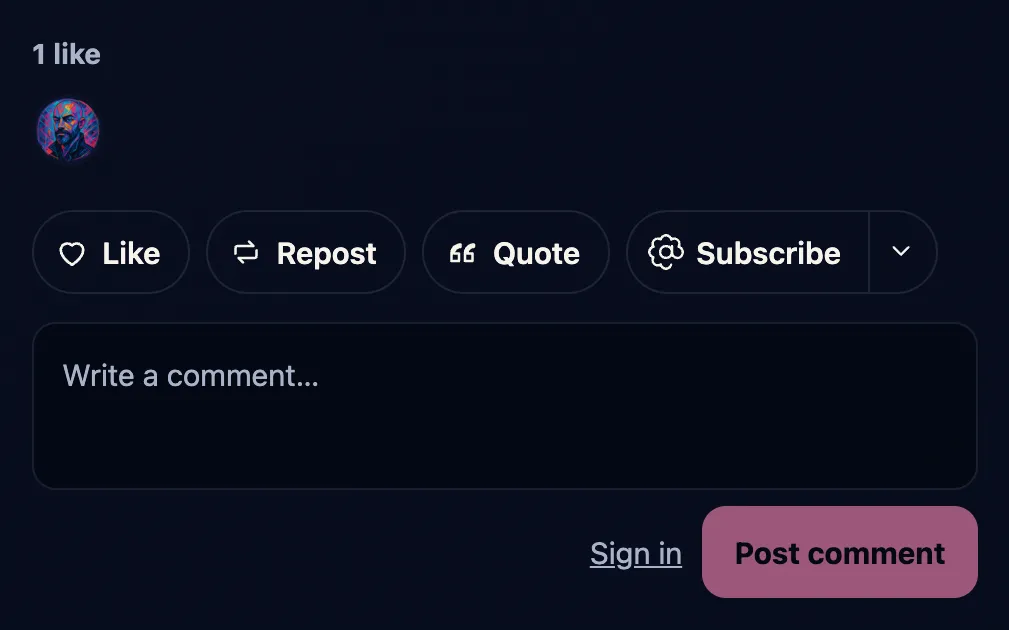
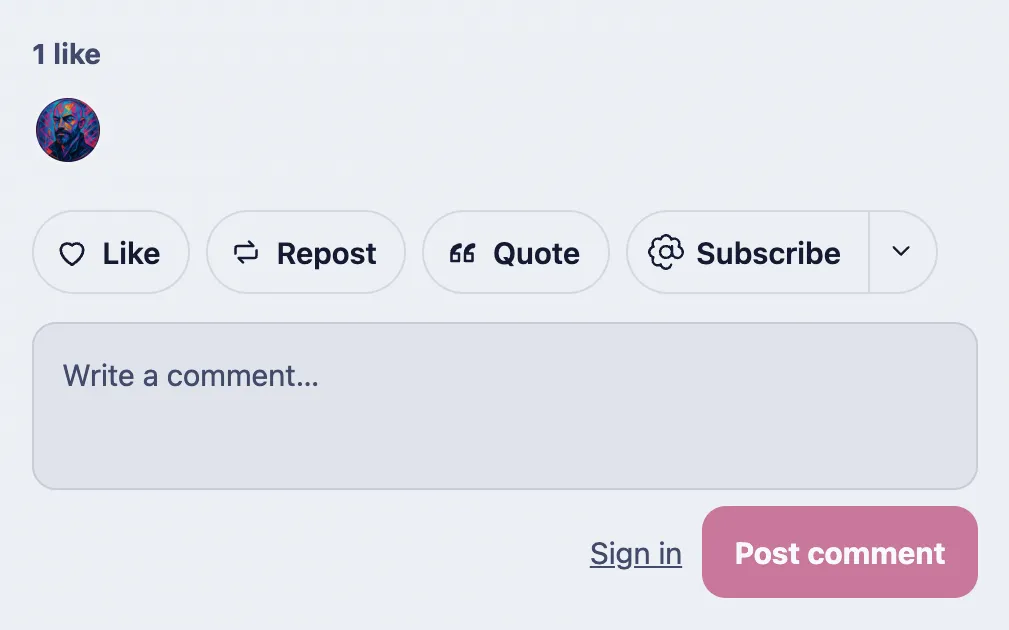
Pressing any of them opens a short sign-in form that says what it’s for, and explains in a few words how signing in works. As they type their handle, it suggests matching accounts with their avatars, so they can see they’ve found the right one:
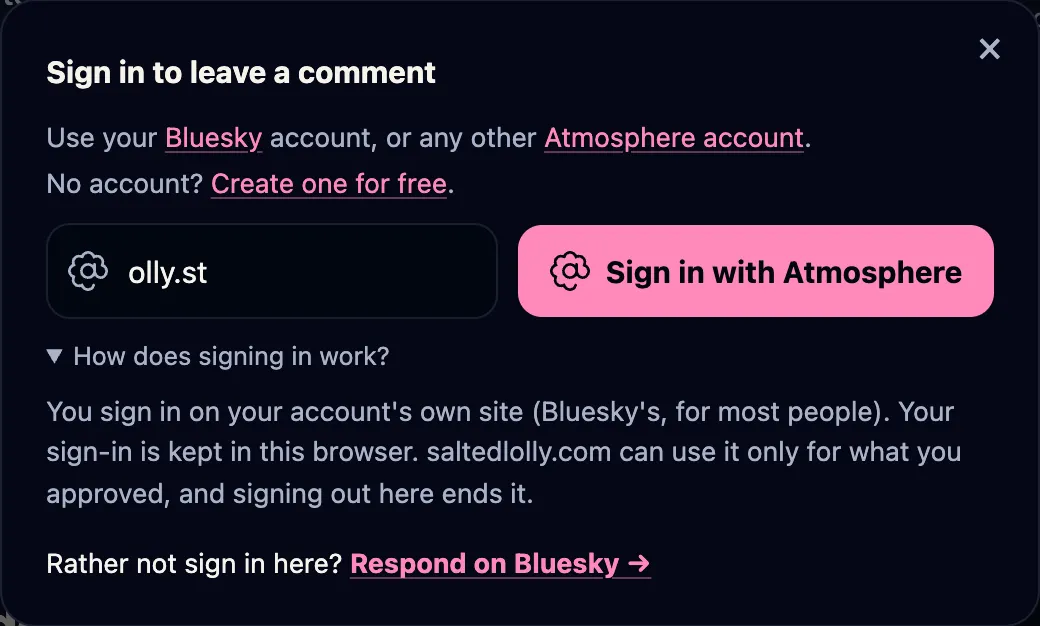
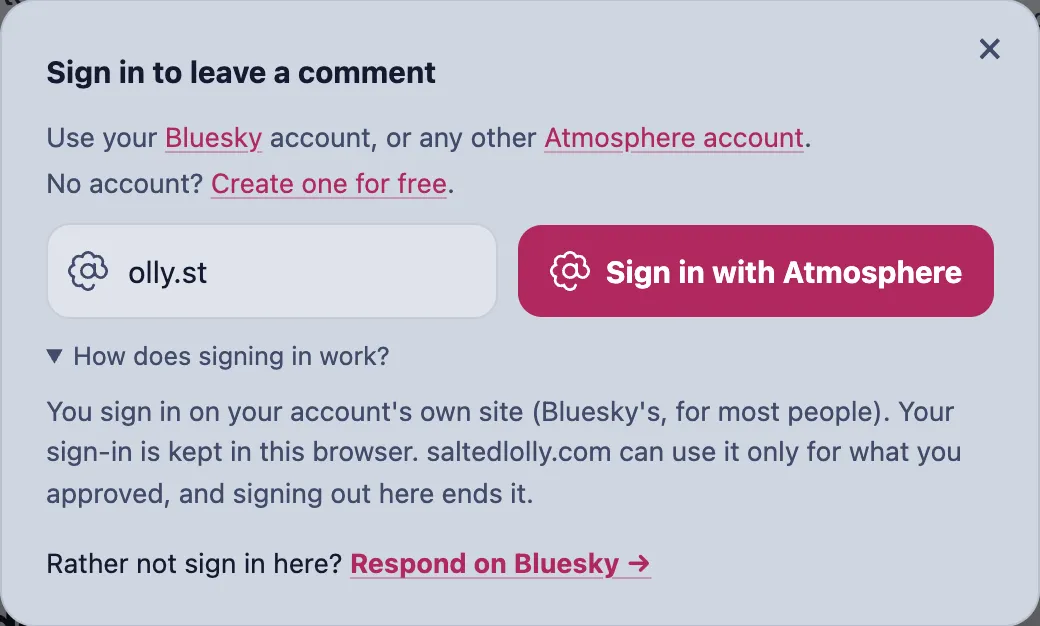
They pick their account (or type their handle and press Sign in with Atmosphere) and approve once on their own account’s sign-in page (Bluesky’s, for most people), which names your site by its address. Back on your page, what they pressed is done: the post is liked, say, or the comment box is ready to type in. As on Bluesky, #hashtags and links become links, and typing @ suggests people to mention:
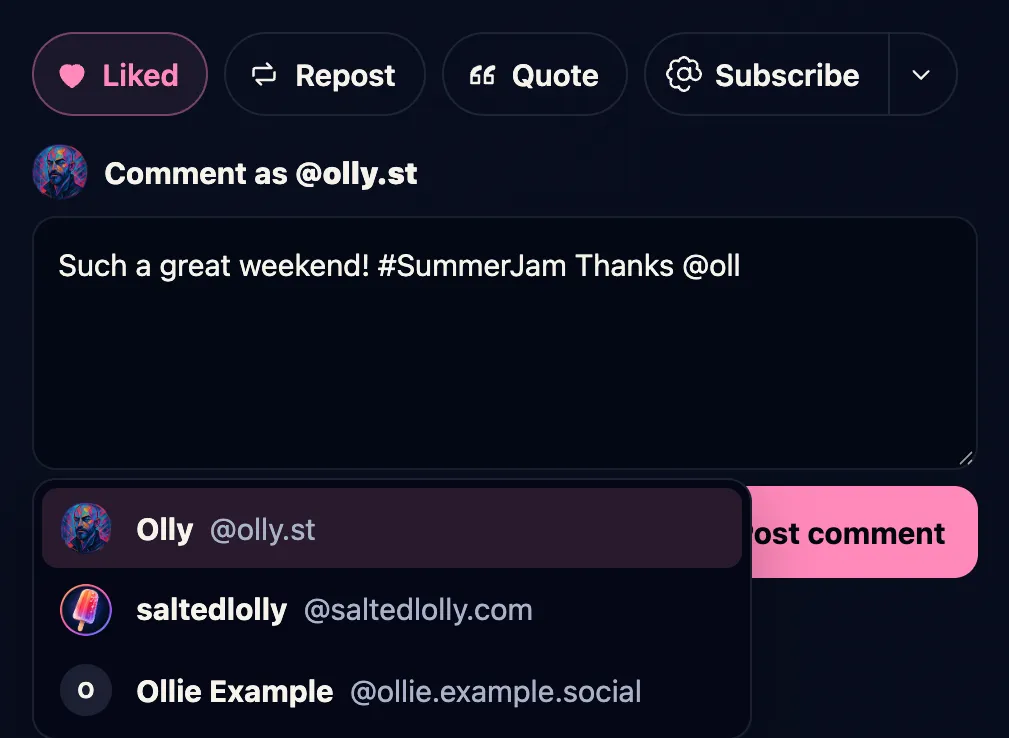
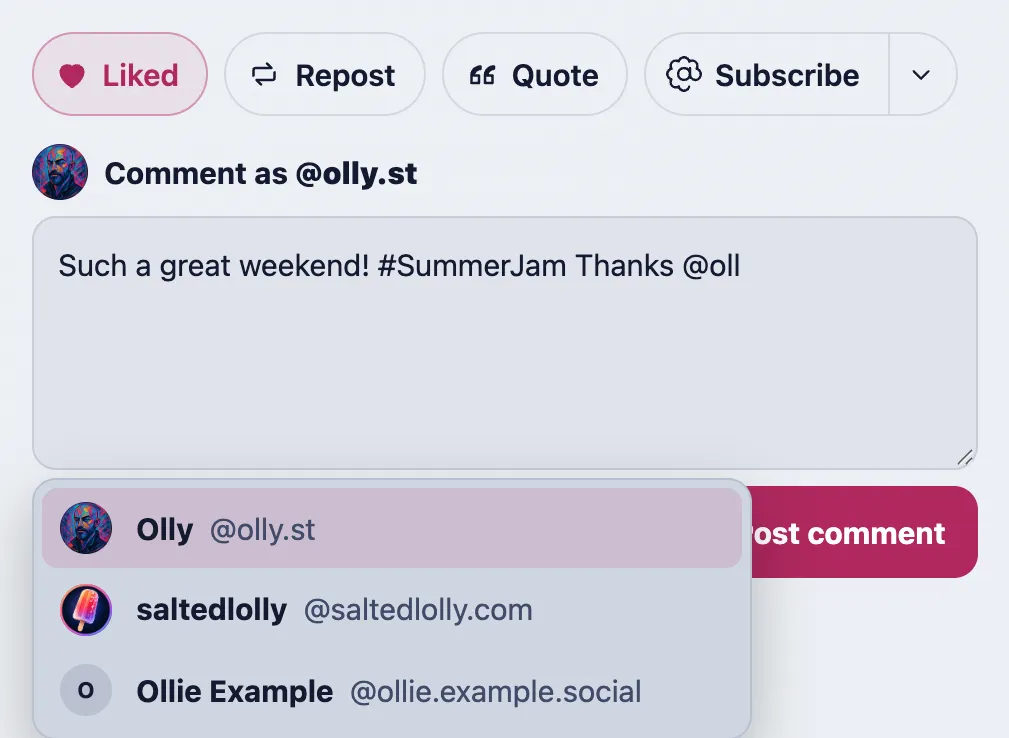
Every comment also gets its own Reply, Like and Repost, and replies are shown nested under the comment they answer. Readers can delete their own comments too, right on the page, and when you’re signed in as the account that announced the post, you can hide comments under it, here and on Bluesky.
Readers who’d rather not sign in to your site can use the Respond on Bluesky link in that form: their reply, like or repost shows up on your page just the same.
Your readers don’t have to trust your server. Their sign-in stays in their own browser: comments, likes and reposts go straight from there to their own account, and your site’s server never sees the sign-in, sets no cookies and stores nothing about them. So it has no way to post for anyone, and when a reader signs out, the sign-in is cancelled at their account and gone. It asks, in one approval, only for what readers can do on your site (post, like and repost, delete their own comments, follow your accounts and, if you publish to Standard.site, subscribe and recommend), and each is only ever used on your posts and the comments under them. People who’ve asked Bluesky not to show their account to logged-out visitors are respected too: their comments and faces are shown only to readers who are signed in, and everyone else sees a blurred placeholder.
Add it to your own site
The integration is on npm as astro-atmosphere-comments and on GitHub. As far as I know it’s the first Astro integration that lets readers comment, like and repost through their own Bluesky account.
You’ll need an Astro site with a server adapter (such as @astrojs/node) and a Bluesky account that announces your posts. There’s no key, database or storage to set up. Then:
npm install astro-atmosphere-commentsAdd the integration to astro.config.mjs, with the DID of the account that announces your posts:
import atmosphereComments from "astro-atmosphere-comments";

export default defineConfig({
  site: "https://example.com",
  adapter: node({ mode: "standalone" }),
  integrations: [
    atmosphereComments({
      clientName: "example.com",
      allowedAuthors: ["did:plc:your-did-here"],
    }),
  ],
});
And put the component under your posts, with the address of the post’s Bluesky announcement:
---
import AtmosphereComments from "astro-atmosphere-comments/AtmosphereComments.astro";
---

<AtmosphereComments post="https://bsky.app/profile/you.bsky.social/post/…" />
If you publish your posts to Standard.site, you can leave out post: the component finds the announcement from the page’s Standard.site record by itself. Atmosphere Publishing for Astro is its companion for exactly that: it publishes your posts’ records and announces them on Bluesky, so every post gets a comment box with no setup.
Subscribe and recommend, with Standard.site
If you publish to Standard.site, give the integration your publication’s address:
standardSite: {
  publication: "at://did:plc:your-did-here/site.standard.publication/…",
},
Readers then get a Subscribe button beside Like, Repost and Quote, which saves a subscription to their own account, so your new posts appear in apps such as Leaflet and Standard Reader. Its menu says what subscribing does, with View on Standard Reader and View on Leaflet. Beside it, a separate Follow button follows your account on Bluesky, for everything else you post; its menu has View @you on Bluesky and View post on Bluesky. Readers who aren’t signed in are offered the sign-in form by either, and subscribed or following once they’re back. Like also recommends the post in those apps, and un-liking removes the recommend. The integration doesn’t publish the records itself, so it works with whatever tool you use for that. Both are components of their own, AtmosphereSubscribe and AtmosphereFollow, so you can put them anywhere, such as at the top of your blog’s list of posts. On a page all about following, such as this site’s feed page, they can be a pair of matching buttons instead: “Subscribe via Standard.site” and “Follow @you”, which show the reader’s own avatar with a tick once done.
Likes and follows on your other Bluesky posts
If your site also shows your latest Bluesky posts (as this site’s homepage does), add the AtmosphereReactions component once to your layout and mark each post with its Bluesky address. Readers then get Reply, Repost, Quote and Like under each one, with counts. Signed in, they like and repost straight away, and Reply and Quote open the comment box in an overlay. Anyone else is offered the sign-in form in an overlay, and their like or repost is done when they’re back. The same works on lists of your articles: give each one only Like and Repost, as this site’s homepage does, and leave out the counts if the page is built once per deploy, so they’re fetched fresh when it loads. The AtmosphereFollow component adds a “Follow @you on Bluesky →” link that becomes a Follow button for signed-in readers (signed out, it simply opens your profile), and readers see their own avatar, with a Sign out menu, so they always know which account they’re using. The README shows how.
In your readers’ language
The wording comes in English, French, German, Spanish, Portuguese, Italian, Dutch and Japanese. Set locale: "fr" (for example) in the integration’s options, or let it follow Astro’s i18n routing if your site uses it. You can also change any line to suit your site with the messages option. The translations other than English are first drafts, so if you speak one of those languages, corrections are very welcome. Translation is being set up on Weblate so anyone can help.
The README covers the rest: the options, languages, styling it to match your site, and how it keeps readers’ sign-ins private. It’s free and open source (MIT). Bug reports and ideas are very welcome on GitHub, or in the comments below.
Thanks to Joe Basser: the Atmosphere logo on the sign-in button comes from the Atmosphere Account project (@atmosphereaccount.com), and the sign-in form sends anyone without an account there to make one.
Support my work
Atmosphere Comments for Astro is free and open source. I make software like this because I believe in open protocols and open source: they can help make the web, and so the world, a better place, and the web shouldn’t be owned and controlled by billionaires. Building and maintaining it takes real time, often my working hours. If you find it useful, please consider sponsoring me on GitHub or buying me a coffee on Ko-fi: it helps me keep it updated and make new things. More ways to support my work →
Release notes
What’s changed in each version. The changelog on GitHub has the full detail for developers.
0.13.0 (14 November 2026)
- Subscribe and Follow in the account menu. The menu behind the reader’s avatar now has Subscribe, and Follow for an account you choose, between “Signed in as” and Sign out. Until they’re done, each is an outlined button; once done, a quiet “Subscribed ✓” or “Following ✓” (pressing it still undoes it). That gives the status and the undo a calm home, so you can hide your on-page buttons once a reader has used them, as this site’s homepage now does.
- Ticks on your profile links: mark a link
data-atmosphere-following="<DID>"and it’s flagged while the signed-in reader follows that account, so you can show a tick, as this site’s footer does. - Your publication’s own account can’t subscribe to itself: signed in as it, Subscribe is greyed out (“This is your own publication”).
0.12.1 (11 November 2026)
- The reader’s avatar lines up with the icons beside it. In a header, the signed-in reader’s picture sat a few pixels higher than the icons next to it. It’s level now.
0.12.0 (11 November 2026)
- Like and Repost on lists of your articles:
data-atmosphere-actions="repost like"gives a post just those two buttons, leaving commenting to the article itself. This site’s homepage now has them on every article card. - Live counts on prerendered pages: leave out a post’s counts and they’re fetched through your site once the page has loaded, so a page built once per deploy still shows today’s likes and reposts. Readers’ browsers still never contact Bluesky.
Older versions
0.11.0 (10 November 2026)
- A sign-in button in your header: where the signed-in reader’s avatar goes, readers who aren’t signed in can see the Atmosphere logo instead. It opens the sign-in overlay and brings them back to the same page, where their avatar then appears. Mark the spot
data-atmosphere-account="sign-in"; plain spots stay empty as before.
0.10.2 (9 November 2026)
- The matching buttons say where they go: “Subscribe via Standard.site” and “Follow @you”, then “✓ Subscribed via Standard.site” and “✓ Following @you”. The buttons under posts are unchanged.
- Your own account’s Follow button is greyed out (“This is your account”) instead of disappearing, so a page listing several accounts doesn’t look as if one is missing.
0.10.1 (9 November 2026)
- Subscribe shows the Standard.site logo instead of the newspaper, so it says where the subscription goes: to your Standard.site publication, readable in any app that supports it. It’s the same mark Bluesky shows on Standard.site publications’ link cards. Thanks to Standard.site for making it available under the MIT licence.
0.10.0 (9 November 2026)
- Subscribe and Follow are separate. Under each post, after Like, Repost and Quote, come Subscribe and a new Follow button, each with its own menu. Subscribe’s says “Subscribe to read new blog posts in apps that support Standard.site, such as Standard Reader or Leaflet.”, with View on Standard Reader and View on Leaflet. Follow’s says “To see everything @you posts, follow on Bluesky.”, with View @you on Bluesky and View post on Bluesky. Like Subscribe, Follow works for readers who aren’t signed in: it offers the sign-in form, then follows once they’re back.
- Subscribe shows a newspaper for blog posts, rather than the Atmosphere logo, which now appears only when signing in.
- Matching buttons for a follow page:
buttononAtmosphereSubscribeandAtmosphereFollowgives “Subscribe to blog posts” and “Follow on Bluesky”, without menus, showing the reader’s own avatar and a tick once done. Made for this site’s feed page, built with Friendly Feed for Astro. - Every Follow button for an account on the page stays in step, wherever it is.
blueskymoved fromAtmosphereSubscribetoAtmosphereFollow.
0.9.0 (8 November 2026)
- The Subscribe menu is Atmosphere only: Copy link and RSS feed are gone, since feeds are a different thing and are best offered on your site’s own pages. The
copyUrlprop andstandardSite.feedare now ignored, so nothing breaks if you still set them. - “View on Bluesky” leads the menu and opens your account’s profile. Under a post, the post’s thread is now “View post on Bluesky”.
- Follow only when signed in: signed out, the note ends “To see everything @handle posts, follow it on Bluesky.” with no extra link, as View on Bluesky is just below. Signed in, it ends “Follow on Bluesky.” with the Follow / ✓ Following button under it.
0.8.1 (8 November 2026)
- The Subscribe menu’s note now ends “To see everything @handle posts, Follow on Bluesky.”, leading straight into the button beneath it.
0.8.0 (8 November 2026)
- New
AtmosphereFollowcomponent: “Follow @handle on Bluesky →”, which becomes a Follow / ✓ Following button for signed-in readers and stays a plain link for everyone else. Several Follow buttons for the same account now stay in step. - New
AtmosphereSubscribecomponent: the Subscribe button and its menu, to place anywhere on your site. The menu gains View on Leaflet, and a note saying Subscribe is for new blog posts, with “Follow on Bluesky” for everything else (subscribing never follows). - A clear “Liked” or “Reposted” after signing in: when a like or repost pressed while signed out is finished after signing in, a small bubble pops up over the button, so it’s clear it went through.
- Replying under your latest Bluesky posts shows the post being replied to above the comment box, and “Replying to” always names the person by their handle, never a long DID.
- Clearer sign-in form: a shorter paragraph on how signing in works, naming your site; “No account? Create one for free.” on its own line; and “Respond on Bluesky →” for readers who’d rather not sign in.
0.7.0 (8 November 2026)
- Comments from people who show their posts only to signed-in readers (Bluesky’s “logged-out users” setting) now appear for readers who are signed in, fetched by the reader’s own browser. No new permission is needed.
- Signed-out readers see a blurred “Comment hidden” placeholder instead, made of grey bars rather than the real comment. Clicking it opens the sign-in form.
- Like and repost counts match the faces for everyone. Signed out, those people show as a faceless silhouette, with no name or link.
0.6.1 (7 November 2026)
- Uses the same AT Protocol library version as Atmosphere Publishing for Astro, so a site with both installs it once.
0.6.0 (7 November 2026)
- The same buttons for everyone. Signed-out readers see Like, Repost, Quote and a “Write a comment…” box. Pressing one opens a short sign-in form, and what they pressed is done once they’re back.
- Subscribe and recommend, with the new
standardSiteoption: a Subscribe button and menu, and Like also recommends the post in apps such as Leaflet and Standard Reader. - One approval, whichever button they press. If you turn on
standardSite, readers already signed in sign in once more. - The Quote preview is closer to what Bluesky shows, and the Sign in button shows a spinner as soon as signing in starts.
0.5.0 (4 November 2026)
- Sign-ins stay in the reader’s browser. Your server never sees them, sets no cookies and stores nothing, so it can’t post for anyone; signing out cancels the sign-in at the reader’s account. Readers who signed in before need to sign in once more.
- One approval for everything readers can do on your site, instead of a trip to Bluesky for each new thing. If an older sign-in needs one more permission, the page says what it’s for first.
- Hide comments: signed in as the account that announced a post, you can hide comments under it, here and on Bluesky.
- Respects Bluesky’s “logged-out” setting: people who’ve asked not to be shown to logged-out visitors appear only as a short note, with replies to them kept.
- Account lookups while signing in go through your site, so readers’ browsers only talk to their own account.
- No signing key, data folder or
keygencommand any more.
0.4.2 (4 November 2026)
- Links in the comments, the sign-in form and “Reply on Bluesky instead” open in a new tab, so readers don’t lose their place (or a half-written comment).
0.4.1 (4 November 2026)
- Fixed: the sign-in and reply overlays could show at the bottom of the page instead of staying hidden until needed.
0.4.0 (4 November 2026)
- Likes and reposts on your other Bluesky posts, such as a feed of your latest posts, with a new
AtmosphereReactionscomponent: Reply, Repost, Quote and Like under each one, with counts. Readers who aren’t signed in get the sign-in form in an overlay, and their like or repost is done once they’re back. - Reply and Quote in an overlay for signed-in readers, with the quote preview. What they post goes to Bluesky, and the overlay says so with a link to it.
- A Follow button in place of a “follow me” link. The first follow asks for one more permission, and only your own accounts can be followed.
- Which account you’re using: the reader’s avatar wherever you choose (this site’s header and Bluesky panel), opening “Signed in as” and Sign out. Like and Repost say “Like as @handle” too.
- “Post reply” under comments is now translated.
0.3.0 (4 November 2026)
- Languages: French, German, Spanish, Portuguese, Italian, Dutch and Japanese, as well as English, chosen with the
localeoption or from Astro’s own locale for the page. Dates and plurals (“1 like”, “2 likes”) follow the language. - Your own wording: the
messagesoption changes any line.
0.2.0 (4 November 2026)
- The sign-in form shows straight away under each post, and suggests matching accounts with their avatars as readers type their handle.
- Readers can delete their own comments on the page. Permission to delete posts is asked for only the first time someone deletes a comment.
- “Rather not sign in here? Reply on Bluesky instead” under the form, for readers who’d rather reply in the app.
- Bluesky’s approval page names your site by its address, instead of showing the address of a file. (Readers already signed in sign in once more.)
- Password managers are asked to leave the handle box alone.
0.1.1 (3 November 2026)
- The credit link now goes to a permanent address.
0.1.0 (3 November 2026)
- First release: comment, reply, like, repost and quote with a Bluesky or other Atmosphere account, @mention suggestions, and the thread’s likes, reposts and nested comments shown on the page.
Atmosphere Comments for Astro is an independent project, not made or endorsed by Bluesky or Astro. The Atmosphere Account logo is from Atmosphere Account (MIT).
Enjoyed this? Support my work
GitHub Sponsors
Sponsor monthly with your GitHub account.
Sponsor on GitHubKo-fi
Donate once by card or PayPal.
Donate on Ko-fiComments
Other websites can respond by sending a Webmention.
Powered by Atmosphere Comments for Astro